
30-day free trial · Windows
Edit, organise, OCR and convert PDFs — free for 30 days.
Edit PDF text · Merge and reorder · OCR scans · Export to Word · Create forms · Redact · Annotate · Print to Simple Office Tools
- Free for 30 days
- No credit card required
- Digitally signed Windows installer
- PDFs processed on your computer
Windows 10 requires build 19041 or later. Print to Simple Office Tools requires Windows 11 24H2 or later; opening files directly works on all supported Windows versions.
Getting started
Install. Start your trial. Open a PDF.
Download the installer
Choose Download free 30-day trial above. Open the downloaded
.appinstallerfile.Follow Windows setup
Windows App Installer guides you through installation. Once it finishes, open Simple Office Tools.
Start your 30-day trial
Choose Start a free trial in the app and enter your email address. Naming this computer is optional; then add your first PDF.
Installing on a work computer? Your organisation’s software policy may require help from IT.
A useful first task
Turn separate PDFs into one ready-to-send pack.
Add your PDFs, arrange the pages in the right order, add page numbers and export one document.
It’s a simple way to try the workflow from start to finish.
Watch the client-pack walkthrough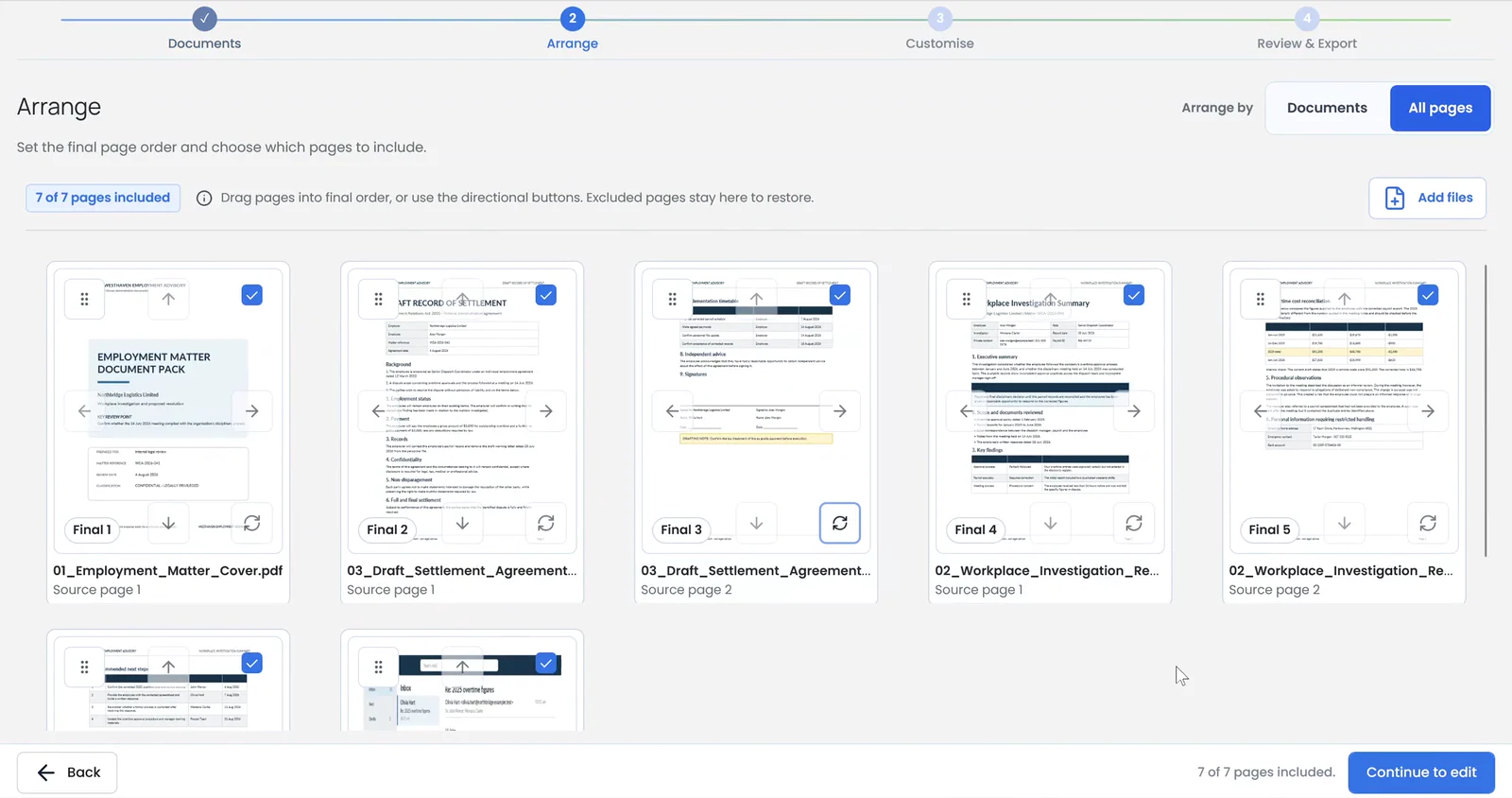
About the trial
Know what happens next.
Try the everyday PDF tools before deciding whether to buy.
What happens after 30 days?
You’ll need an active paid licence to keep using the app. The trial does not automatically become a paid subscription. You can upgrade inside the app or buy an annual licence.
Do my documents leave my computer?
PDF editing, organising and export happen on your device, without uploading the documents for processing. Licence activation and verification, and downloading updates, use an internet connection. Read the privacy policy.
Already have a licence?
Install the same app, then choose Claim a licence on the welcome screen. Paste the Paddle transaction ID from your purchase or emailed invoice, then choose Claim licence.
Need a hand getting started?
Get help from our New Zealand-based support.