
A useful first project
Combine and organise a client pack.
Turn separate files into one ordered PDF, ready to share.
Watch and read guide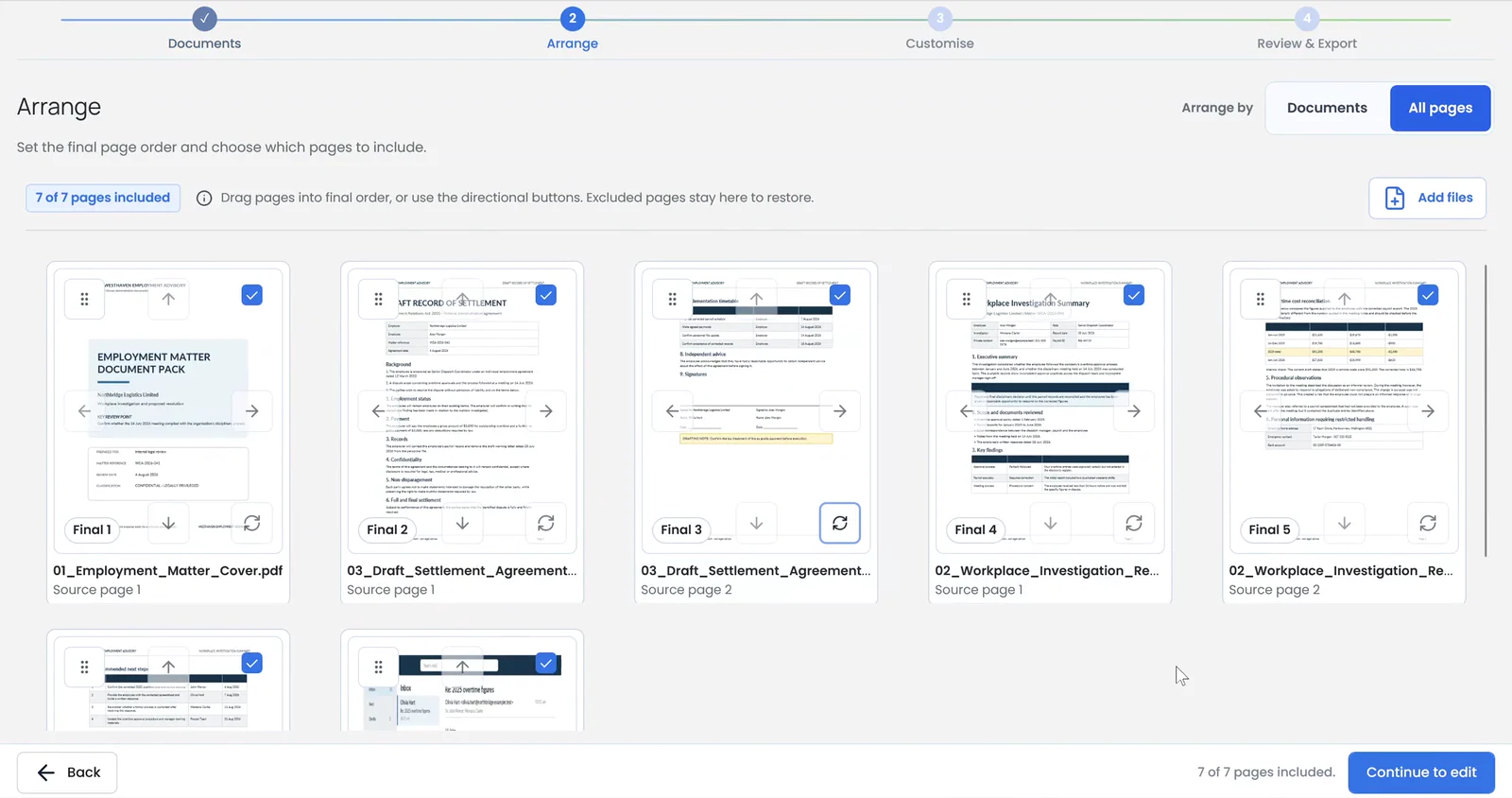
Guides
Clear, practical steps for the jobs you do most, with short matching videos where available.
A useful first project
Turn separate files into one ordered PDF, ready to share.
Watch and read guideGet set up and open your first PDF.
Video · 29 secSend a PDF or supported image from File Explorer straight into your workspace.
Video · 11 secChoose Simple Office Tools as the Windows app that opens when you double-click a PDF.
Video · 15 secBring documents together from other Windows apps.
15-second video + stepsContinue saved work after closing the Windows app, or choose a new workflow safely.
Video · 18 secPreview and save reusable configuration, then validate and review a portable replacement.
2 videos · 44 sec + 29 secPut whole documents in the order you want before arranging individual pages.
Video · 6 secMove individual pages or selected groups into the order you need.
2 videos · 9 sec + 11 secFix a typo without the original document.
Video · 14 secMove a section within a page or onto another page to improve a PDF’s layout.
Video · 41 secAdd a signature, stamp, logo or other image and position it on a page.
Video · 19 secReuse the exact size and position across several pages.
Video · 16 secUse automatic details, dates and prompted values, then place a frozen stamp on your PDF.
Video · 51 secSave an image with its size and position on this device, then insert it again.
2 videos · 27 sec + 6 secTurn PDF content into an editable DOCX file and check the reconstructed layout.
Step-by-step guideAdd a searchable text layer while keeping the visible scan unchanged.
Step-by-step guideExtract suitable detected tables and verify the resulting workbook.
Step-by-step guideConfigure a page range, sequence, placement and appearance.
Step-by-step guideRequire an open password, then reopen the file and verify it.
Step-by-step guideUse highlights, underlines and strikeout marks to review a PDF.
Video · 21 secDraw attention to an area and leave a text comment beside it.
Video · 23 secMark sensitive words or areas, review them, and permanently remove the marked content.
Video · 14 secAdd a visible label such as DRAFT or CONFIDENTIAL across your PDF.
Video · 16 secAdd fields, export and test your form.
Video · 42 secExport your finished PDF, then open Windows Share to choose an email app.
Video · 12 secRead the FAQs or contact our New Zealand support.